Pay with MTN, Airtel or Zamtel mobile money. You don't need an account, and it takes about a minute.
You need: your phone with mobile money and enough balance for your tickets.
1
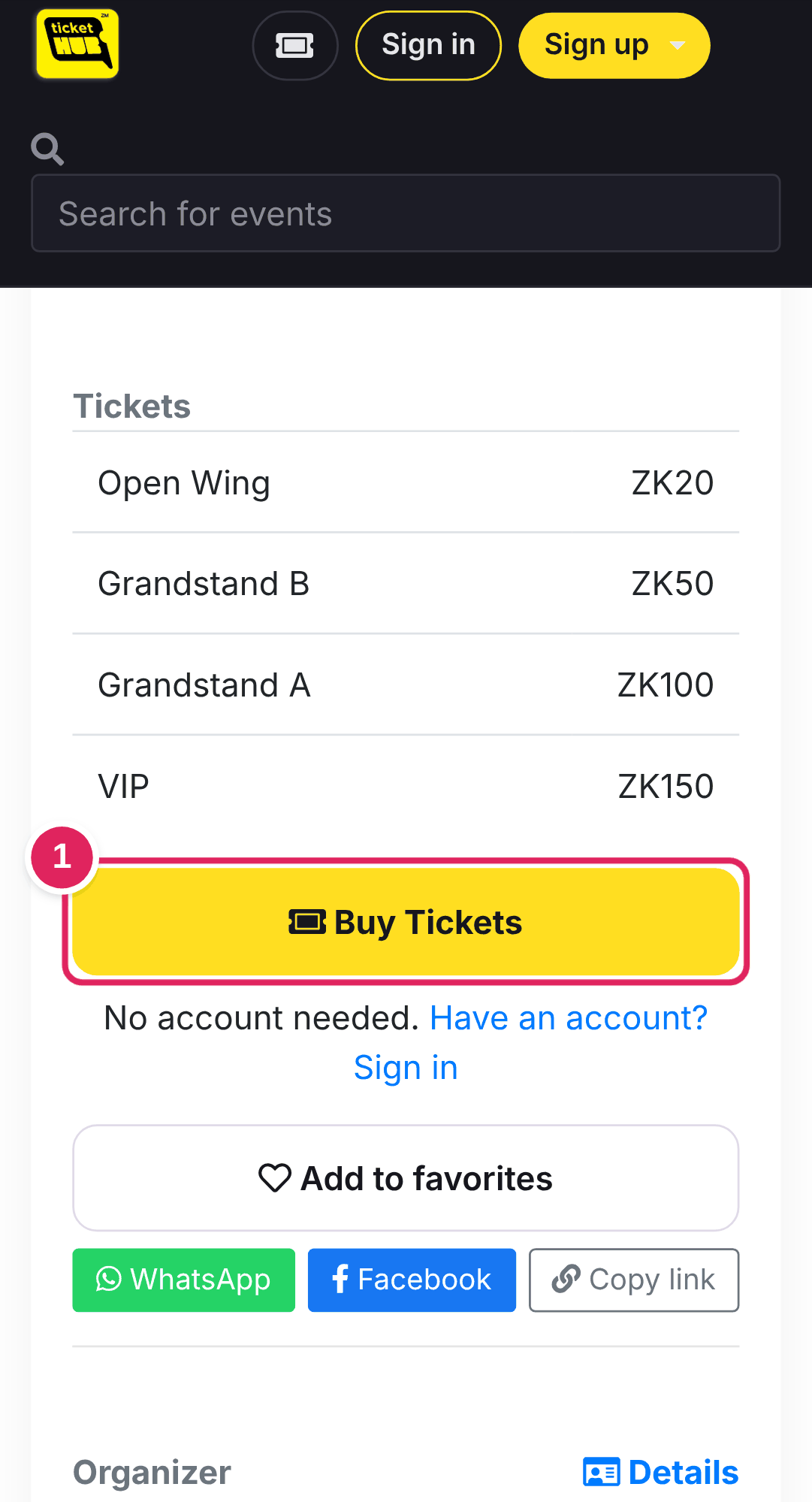
Open the event and tap Buy Tickets
Find your event on tickethubzm.com, or open the link the organizer shared on WhatsApp or Facebook. Scroll down to Tickets and tap 1 Buy Tickets.
2
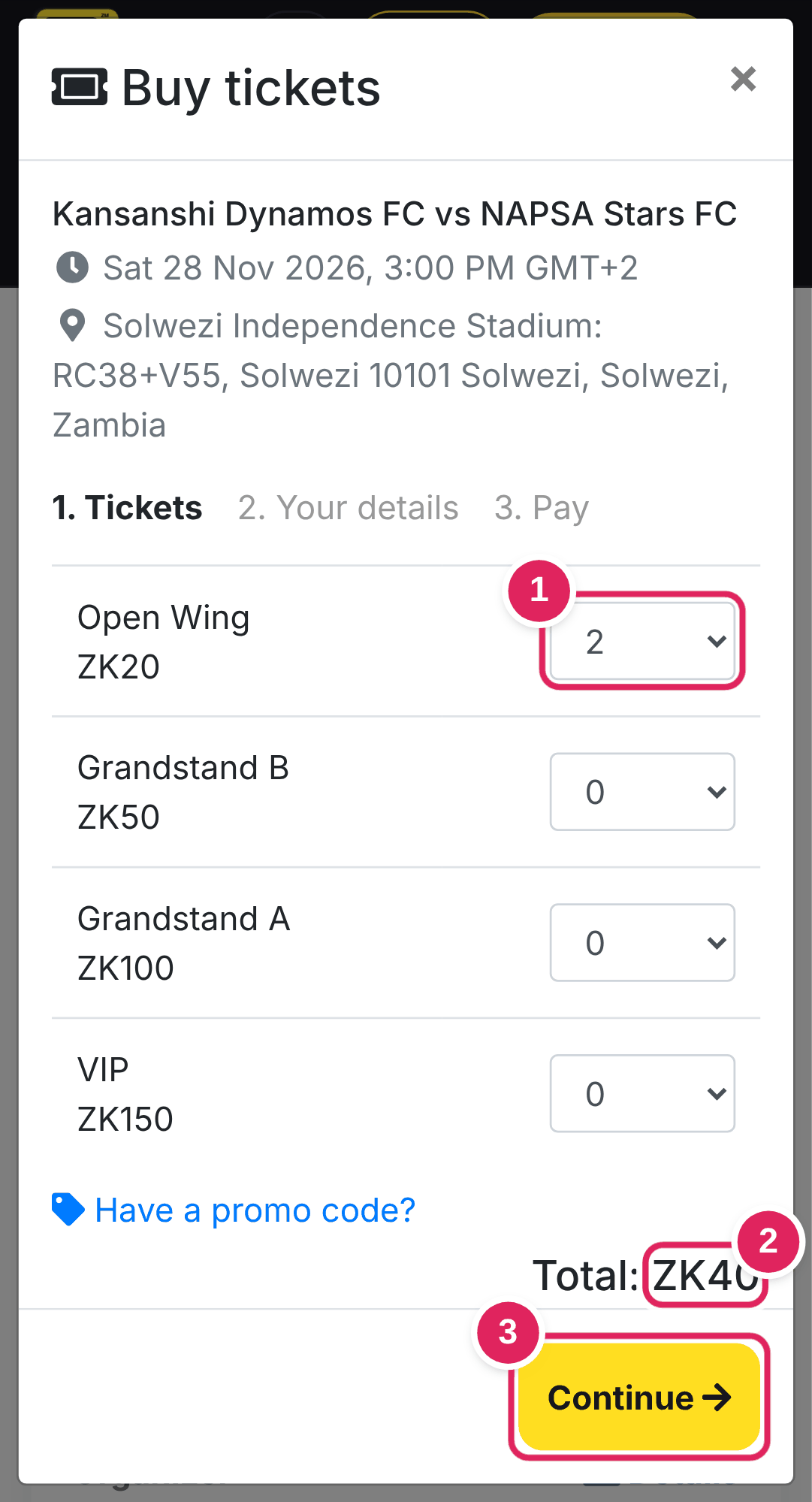
Choose your tickets
1 Pick how many of each ticket type you want.
2 The total updates as you choose.
3 Tap Continue.
Have a promo code? Tap Have a promo code? before you continue.
3
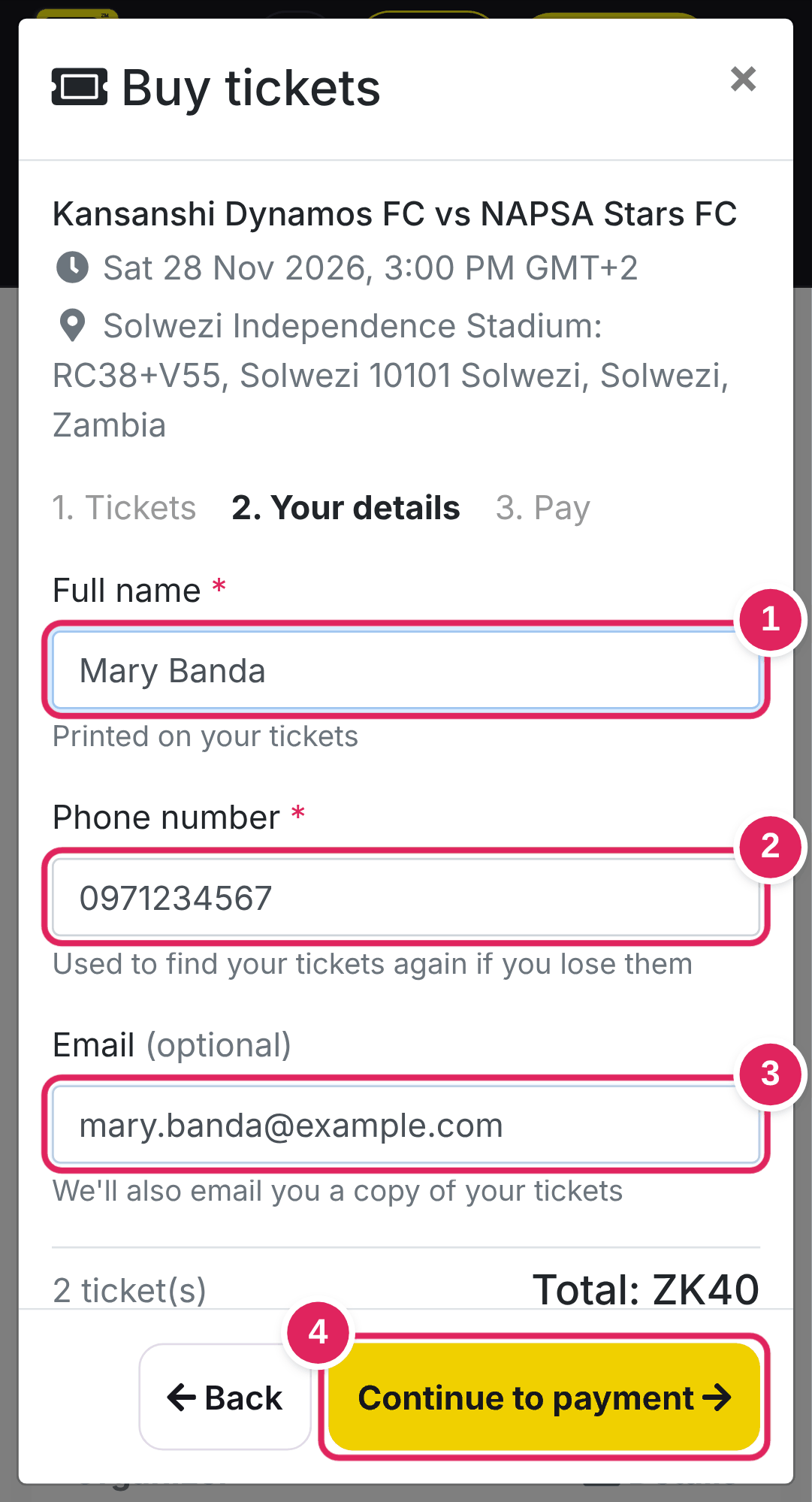
Enter your details
1 Your full name. It is printed on your tickets.
2 Your phone number. We use it to find your tickets if you lose them.
3 Your email (optional), to also get your tickets by email.
4 Tap Continue to payment.
4
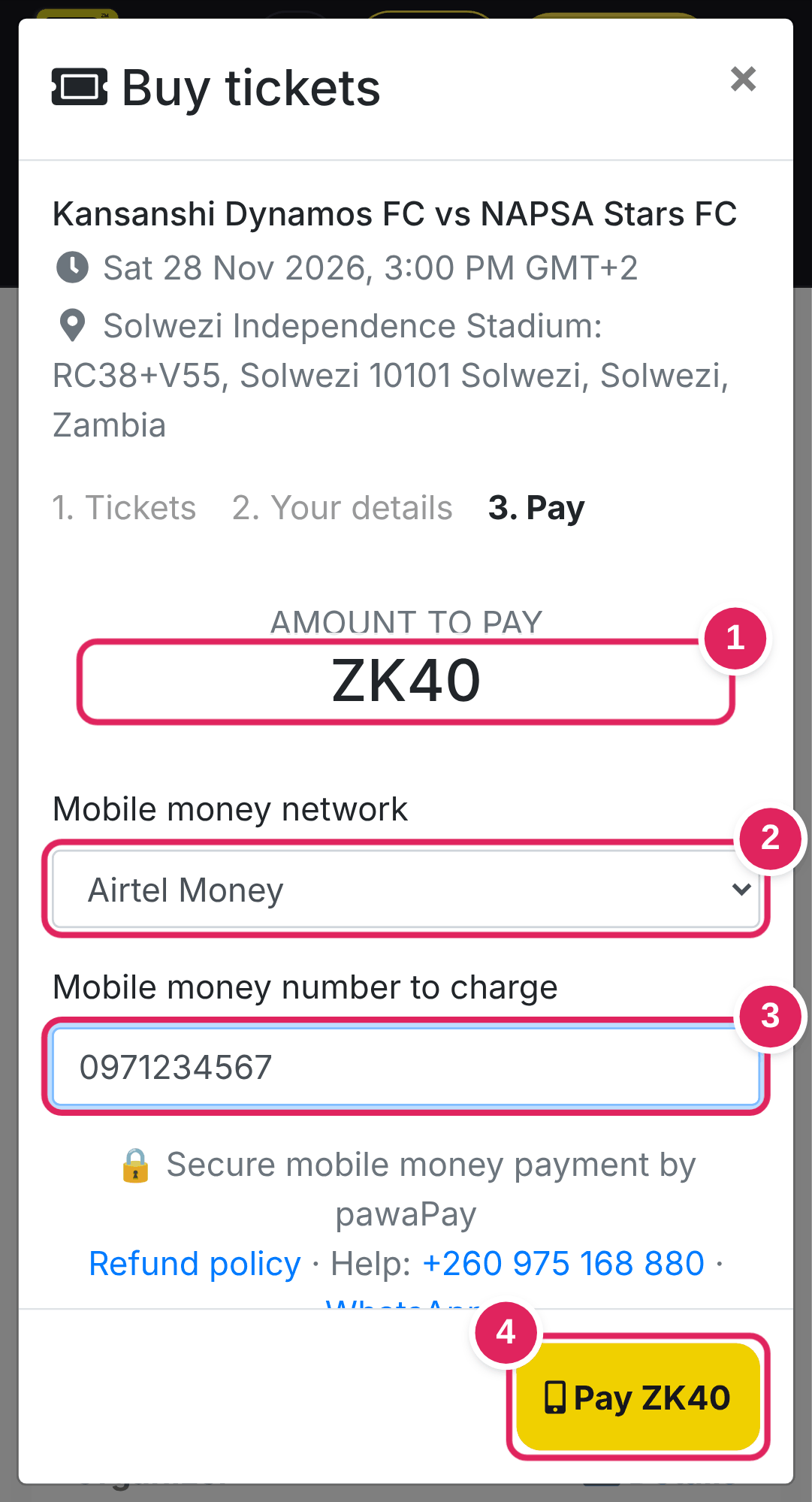
Choose your network and the number that pays
1 Check the amount to pay.
2 Choose MTN, Airtel or Zamtel. It is picked for you from the number.
3 The mobile money number that will pay. It can be a different number from step 3.
4 Tap Pay.
5
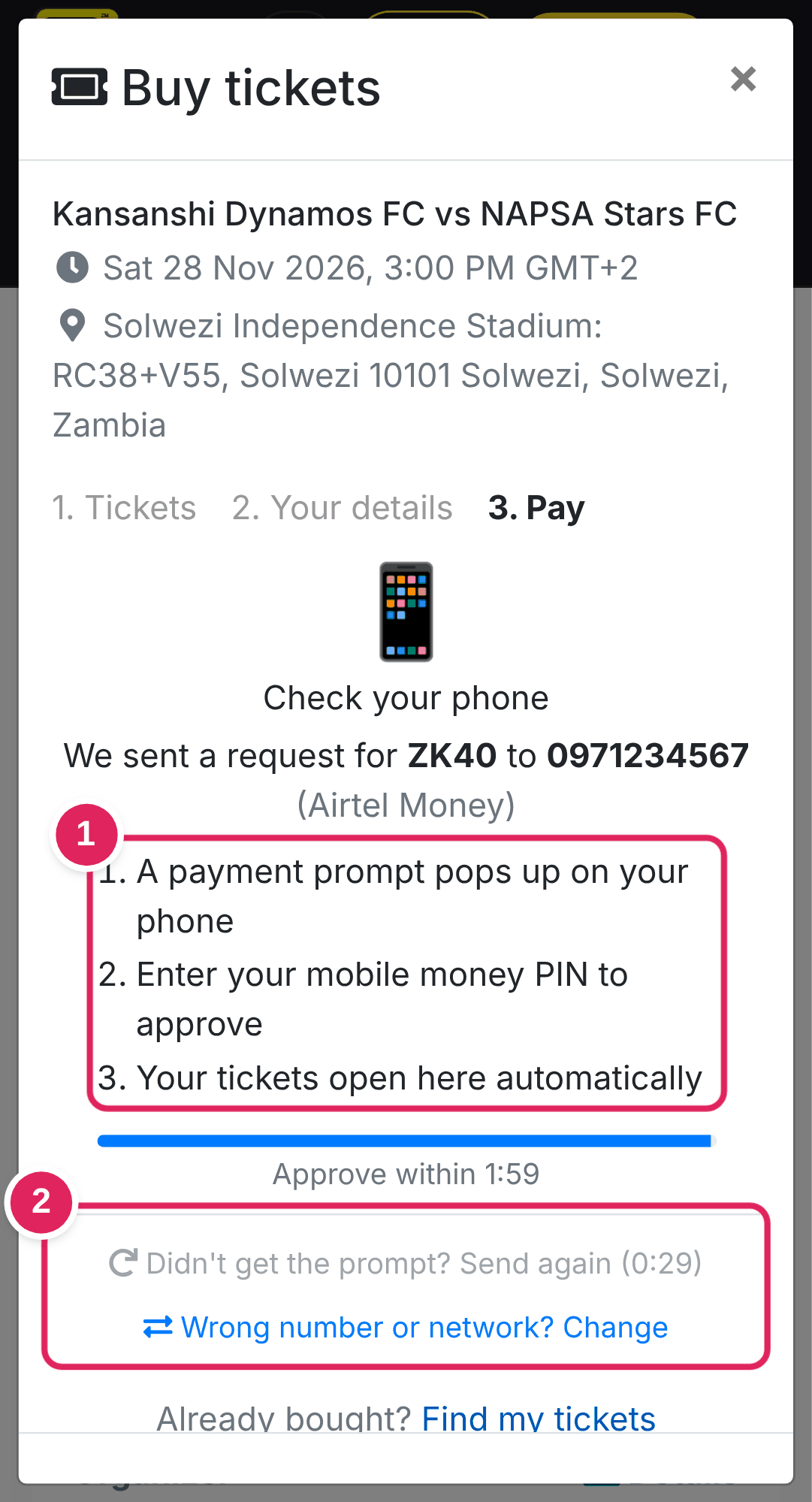
Approve the payment on your phone
1 A payment prompt pops up on the phone with that number. Enter your mobile money PIN to approve. Keep this page open: your tickets open by themselves as soon as the payment goes through.
2 No prompt? Tap Send again when the timer allows, or Change to fix the number or network.
Good to know
- You pay the ticket price shown. There is no booking fee.
- Approve within 2 minutes. If the prompt times out, just tap Send again.
- Money taken but no tickets showed? Don't pay again. Use Find my tickets with the transaction ID from your SMS, or call or WhatsApp us on +260 975 168 880.
- Next: where to find your tickets and how to use them at the gate.